
You asked for it, so we’ve done it! One of the most requested features for Tournament Control is actually for the Tournament Viewer Android app: the ability to view the draws. Actually creating images of the draws like you might put on the wall would be incredibly difficult, and is beyond our present capabilities, but we think we’ve come up with something just as useful.
When you open a tournament in the Tournament Viewer mobile app, at the bottom of the list of games on each court you will now see a link to “view draws”. There is also an equivalent option in the menu that can be accessed in the top-right corner of the screen. Either way, these take you to a list of the draws (divisions) in the tournament. Select a draw and you can then see all of the players in the draw. Swipe over to see all of the games in the draw, including finished games. Never before has Tournament Viewer shown you all of the finished games, but now you can review all of the results in each draw, as well as easily seeing when the games still to be played in the draw are scheduled. All games in this view still reflect their “now on”, “next on” or “soon on” status, so you can see at a glance if games in the draw you’re looking at are being played now.

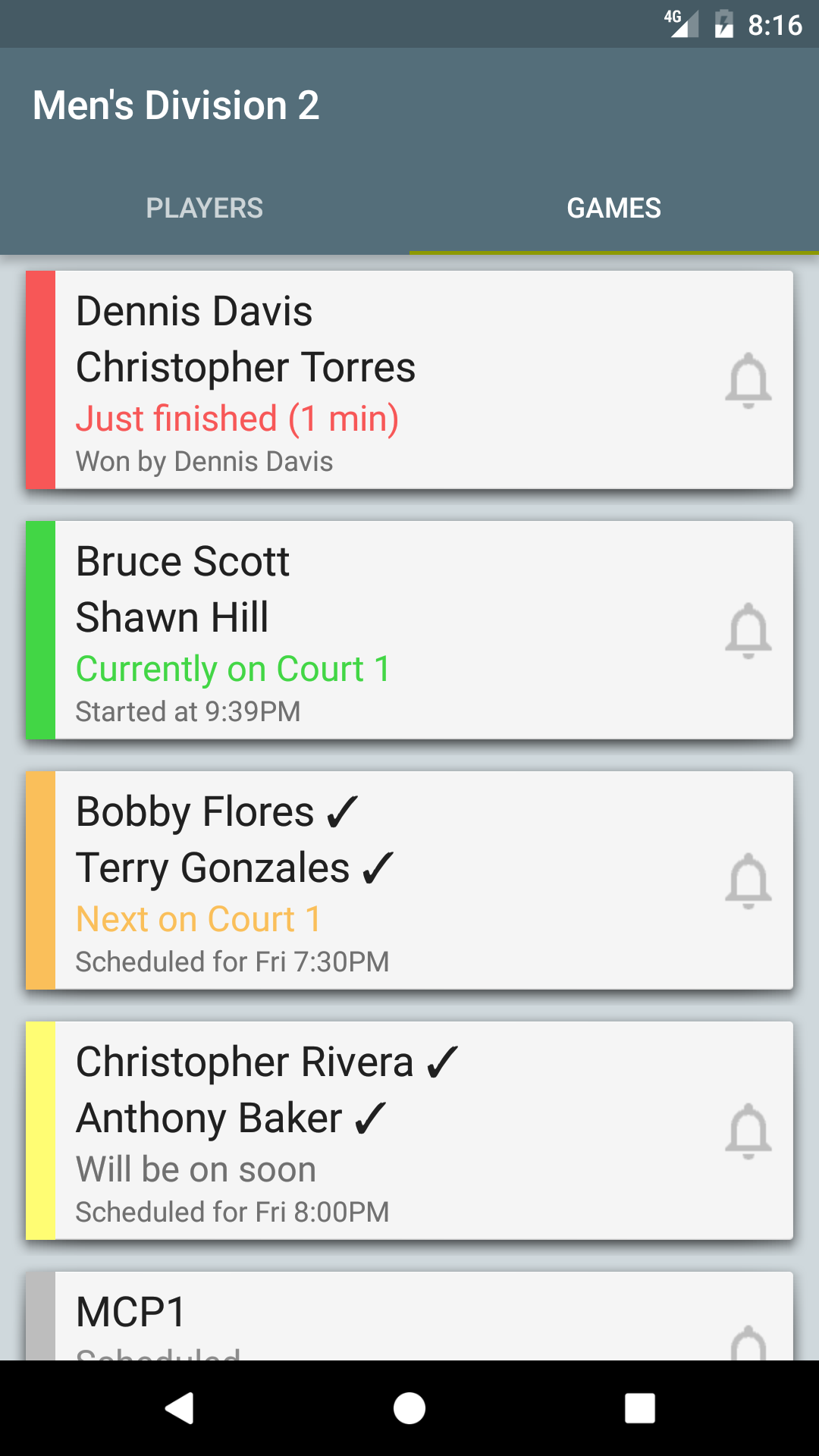
Swipe back to the players list, and click on a player to see more details about them: their club, grading code, points and seeding (if provided by the tournament organisers). This also reveals a “view games” link that can be used to see all finished and current games that involve that player. Want to see who someone played in previous rounds to get to their current game against you? Now it’s easy!
But wait, we’ve saved the best feature until last! Now you can “favourite” a player: just click the star beside their name in the players list (it will become filled in) and then you will receive notifications* about all their games for the entire tournament, even the future round games that the players haven’t been decided for yet! So now you can set notifications for all your games (or those of someone you’re supporting) at the start of the tournament, instead of hunting around for individual games as the rounds progress. Go to town: favourite as many players as you like!
We hope you’ll agree that this is a fantastic addition to the Tournament Viewer app, and we look forward to hearing your feedback on it as it is put to its first test at the Kapiti Open next weekend.
Go ahead and update the Tournament Viewer app on your phone now (download it from the Google Play store) and test out these new features with the demo tournament.
* Notifications require a one-off in-app purchase unless the tournament has provided notifications for free.